
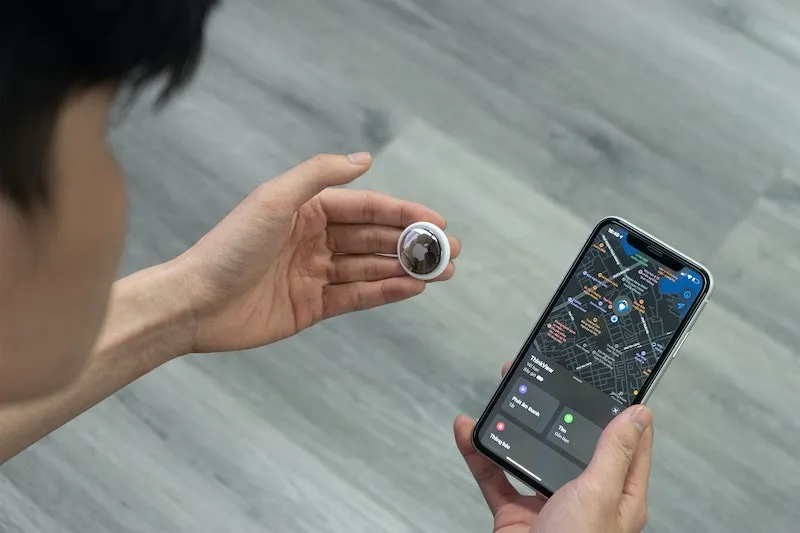
Apple AirTag is a location tracking device that resembles a button, measuring about an inch in diameter. AirTag is compatible with iPhone, iPad, and other Apple devices.
Below, we’ll explore in depth how Apple AirTag works, the ways it can be used (including for dog collars and wallets), and how AlfredCircle is a great free alternative.
Table of Contents
How Does Apple AirTag Work?
Apple AirTag works via Bluetooth, not GPS. The Bluetooth signal is emitted anonymously, connecting the AirTag to Apple’s ‘Find My’ network, which has more than a billion Apple devices connected to it. Other Apple devices nearby detect the signal and send the location of the AirTag to iCloud.
Users see the location of the AirTag on a map on their iPhone or other Apple device.
AirTag isn’t a navigation app or GPS tracker. Instead, it works by connecting to a massive network of Bluetooth enabled devices.
Recommended reading: Keep Your Child Safe With These Reliable GPS Trackers for Kids
What is Apple AirTag Good For?
Since Apple AirTag isn’t a GPS navigation tool, what exactly do you use it for? Below, discover which of the most popular ways to use AirTags are actually good, and which are not so good.
Apple AirTag for Luggage
As the name should imply, AirTags were built with personal belongings, like luggage, in mind. Using an Apple AirTag for luggage is one of the best ways to make use of them.
Air travel can be a real nightmare sometimes, with airline companies regularly losing suitcases. Place an AirTag inside checked or carry-on luggage and you’ll know precisely where it is.
If airport staff say they can’t help you, show them the exact location on your iPhone. Trust us, it’ll save you a lot of pain in the long run.
Apple AirTag for Kids
Parents looking for useful ways to keep an eye on young children won’t benefit from leaving an AirTag with them. AirTags are designed to track personal belongings, not people.
AirTags do not support geofencing, GPS tracking, or any of the other features required for useful monitoring of kids’ locations.
Older kids may benefit from having their own AirTags to monitor the locations of their personal belongings, particularly if they are driving to school or bringing laptops.
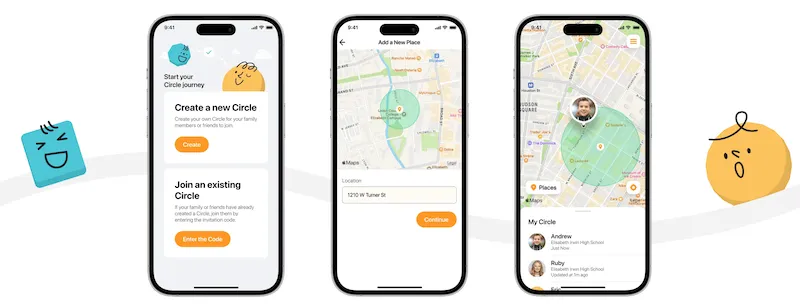
Apple AirTag for Cars
Much like using AirTags for monitoring your kids, AirTags don’t quite cut it for car surveillance. That said, some reports suggest they’re slightly more successful in this context than trying to connect with family members.
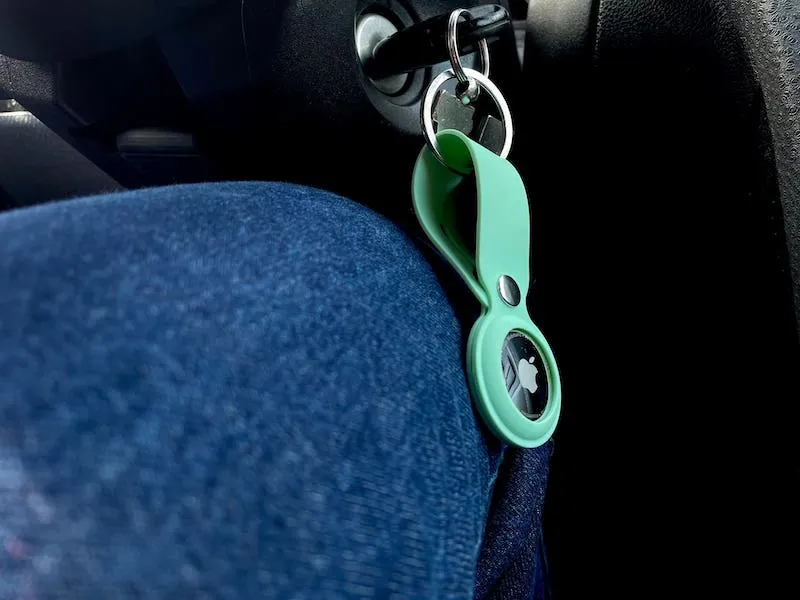
Since AirTags function via Bluetooth, hiding it inside a car (essentially a big blob of metal) can sometimes annihilate the signal it emits. It’s unlikely the Bluetooth signal will be able to reach your iPhone inside your home unless it’s close by.
AirTags might be useful if your car is especially close to your house. If the car was broken into and driven away, the signal would be lost, revealing that the car is gone. But as far as car security goes, there are plenty of better security measures to protect your vehicle.
Apple AirTag for Dogs
AirTags for dogs seem like a logical solution, and in some respects they are. But in reality, using an AirTag to track a dog is limited, and not recommended by Apple.
Attaching an AirTag to a dog collar would reveal its location, giving owners a little extra peace of mind about letting them off the leash when on a walk.
But AirTags are about an inch in size, and dogs sure love sinking their teeth into anything tactile. AirTags are a choking hazard, and can be very dangerous (and a waste of money) if the dog ingests it.
Apple AirTag for Keys
Losing your keys carries a surprisingly high level of risk. Chances are, access to your car, home, and perhaps even the home of a friend or family member are all on a single chain.
That’s why an Apple AirTag for keys is a great idea. Keys are almost always on you, so the relatively short signal range of Bluetooth is put to good use in this instance.
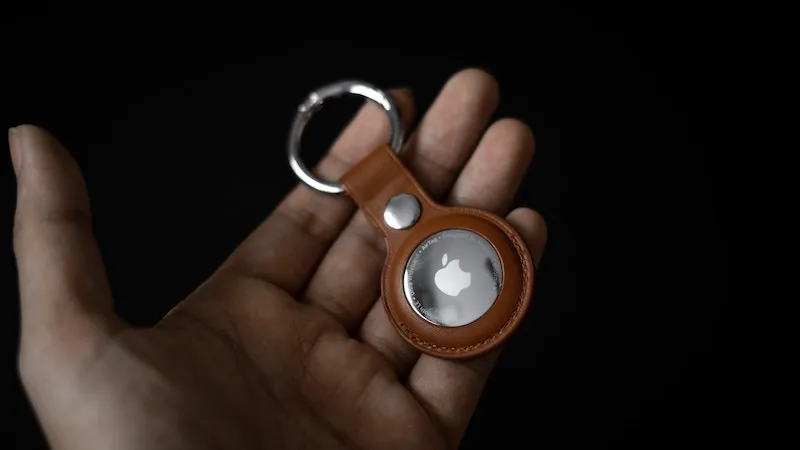
Next time you mislay your keys, checking the Find My map on your iPhone will quickly reveal their exact location.
5 Common Questions About Apple AirTag, Answered
Users new to Apple AirTag (or considering location tracking devices as a whole) usually have similar questions about how it works and what it can do. Get a rundown of the most common concerns people have about AirTags below.
1. How far can you track an AirTag?
Apple AirTag distance is around 30 feet. Thanks to the ultra-wideband technology inside the device, it has a wider range and is more precise than what’s usually associated with Bluetooth devices, but it isn’t comparable to GPS tracking.
2. How long do AirTags last?
Apple AirTag battery life is at least one year. The battery is a standard coin battery that’s easily replaced once it dies. AirTags batteries are not rechargeable.
3. How often does AirTag update location?
The frequency of AirTag location updates depends on how crowded the surrounding area is. In an area with plenty of Apple devices (iPhones, iPads, Apple Watches, etc.), AirTag updates location information every 1 to 2 minutes. In deserted areas, it may not update at all, because it relies on other Apple devices to ping off.
4. Does AirTag have GPS in it?
Apple AirTag does not have GPS built in. Location tracking is instead achieved by pinging off other Apple devices connected to the Find My network using Bluetooth and ultra-wideband technology.
5. Is there a monthly fee for Apple AirTag?
There are no monthly fees associated with Apple AirTag. AirTag retails for $29. However, users require an Apple device to track their location.
Conclusion
While Apple AirTags are useful for tracking the location of personal belongings you keep close to you—in other words, putting an Apple AirTag in your wallet, bags, keys, and luggage—AirTags are simply not designed to locate family, pets, or even large objects, like cars.
Location tracking apps are more useful if you are looking to share location information among family and friends. And with the launch of the AlfredCircle, we’ve got you and your loved ones covered.