
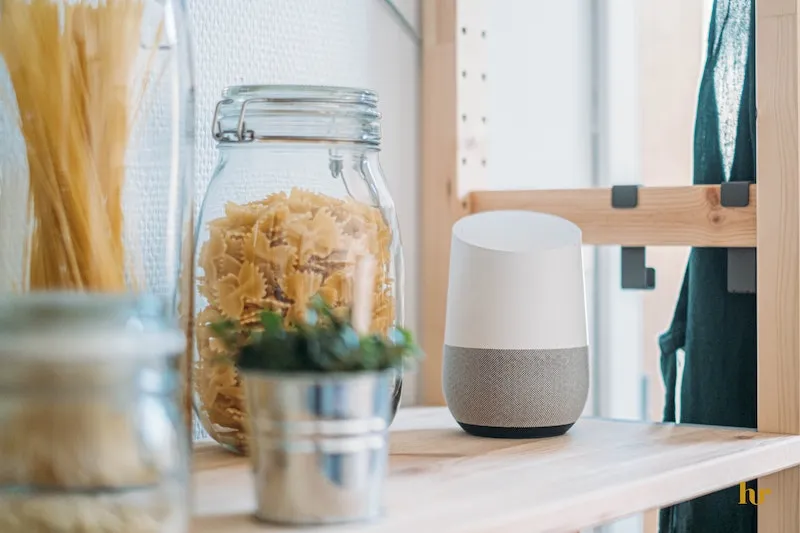
Google Assistant has made it easier for us to order pizza, check our heating, and turn off the lights from the comfort of bed since 2016.
If you have a Nest speaker or Android device, incorporating home security might be the next step towards a truly automated home. With voice assistance, security is a whole lot easier to stay on top of.
Discover what security cameras work with Google Home, including our picks for best Google security cameras.
Table of Contents
Why Choose a Google Compatible Camera?
Voice assistant features are common in home security cameras. What makes Google so good?
- View all security cameras in one place through the Google Home app alongside all other smart home devices.
- Receive alert notifications from all linked devices in one convenient place.
- Easily automate security cameras in the Google Home app.
- Speak to trespassers, delivery drivers, and friends alike through devices that support two-way audio.
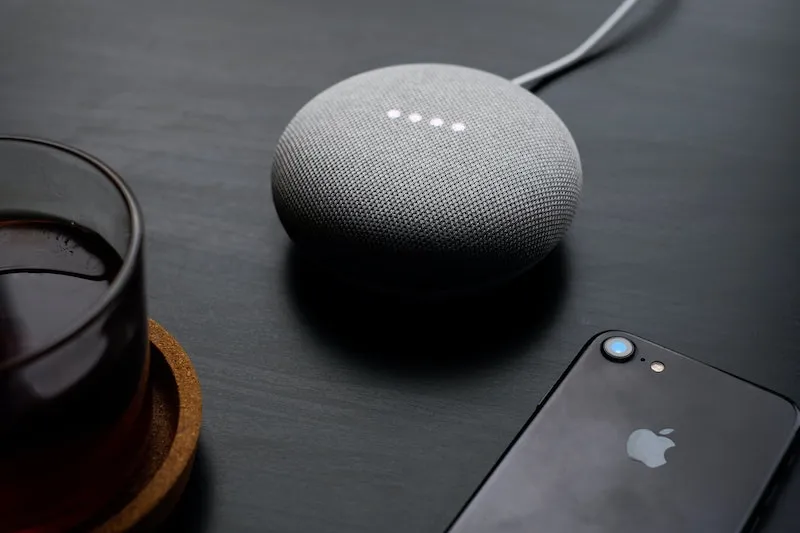
What’s the Difference Between Google Assistant and Google Home?
Google Assistant is Google’s voice assistant technology. It’s found across all of Google’s products, from smart speakers and smart displays to Android phones.
Google Home is an app available for Android and iOS used to automate compatible products. This includes Google-branded products, like Nest security cameras, and products created by third-party brands.
We ranked Google Home at number 4 on a list of top 5 security camera apps.
Many third-party security cameras controlled by Google Voice Assistant via a Home Hub or Chromecast device are not compatible with the Google Home app. Below, find out which devices that can be added to Google Home.
What Security Cameras Work with Google Home? Top 6 Cameras
The Google Home App isn’t just for Nest products. Many security cameras support Google Home and its Google Voice Assistant. What security cameras work with Google Home, and which is best?
- Best doorbell camera for Google Home – Nest Doorbell (battery)
- Best budget camera for Google Home – Wyze Cam Outdoor
- Best indoor camera for Google Home – Eufy Solo IndoorCam C24
- Best outdoor camera for Google Home – Arlo Pro 4
- Best wireless camera for Google Home – Arlo Ultra 2 Spotlight
- Best wired security Camera for Google – Nest Cam with Floodlight
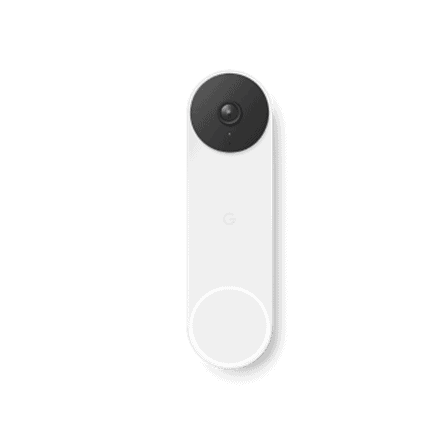
Nest Doorbell (battery)
Best doorbell camera for Google Home
Available from Walmart, Google Store, and CVS. From $134.
Pros
- 3:4 and 16:9 aspect ratios for optimal viewing
- Two-way audio lets users chat with visitors even when absent
- Battery-operated
Cons
- Nest Aware subscription is essential for unique features like facial recognition
- Busy streets and homes (25-30 recorded events a day) will drain the battery in 1 month
- Moderate delay in motion detection recording
Formerly known as ‘Google Home’, Nest boasts a number of great camera products at reasonable prices. Homes populated with Google products will benefit seamlessly from Nest Doorbell, allowing users to peep packages and thieves in 1080p HD.
Smart alerts allow users to get on with their day without constantly checking devices, while a Nest Aware subscription provides up to 60 days cloud storage.
Key Specifications
- 1.3 megapixels
- 3:4 aspect ratio
- 145-degree field of view
- Two-way audio
- Intelligent motion detection
- Wire-free
- Infrared night vision
- IP54 weatherproof
Wyze Cam v3
Best budget camera for Google Home
Available from Best Buy, Walmart, and Amazon. From $35.99.
Pros
- Local storage via microSD card
- Great price
- Mounts in 3 ways: magnets, screws, or into an existing mount
Cons
- Advanced AI detection and unlimited video storage available only with a Cam Plus subscription
- Google Assistant doesn’t currently support streaming on the Google Home App
- Wired power might make for inconvenient outdoor installation
IP65 weatherproofing makes this budget friendly security camera a great choice for indoor and outdoor use, where it can capture up to 1080p footage.
This discreet camera packs a punch despite its modest price and can be controlled easily with Google Assistant, though it isn’t currently possible to view camera feed on the Google Home app.
Key Specifications
- 1080p HD with color night vision
- 130° field of view
- 2 in x 2 in x 2.3 in
- 102g
- Two way audio
- Motion detection & sound detection
- Continuous recording via MicroSD (not included)
Eufy Solo IndoorCam C24
Best indoor camera for Google Home
Available from eufy, Amazon, and Walmart. From $42.99.
Pros
- Up to 2K video quality
- No subscription fees
- AI knows the difference between humans and animals, recording only what users need to see
Cons
- HomeBase (sold separately) required to connect the camera to wi-fi, save and access footage
- Doesn’t come with a microSD card
- Not fully compatible with Google Home app (no video streaming)
Eufy Solo IndoorCam is Google compatible and shows up on the Google Home app, allowing it to be controlled via voice commands over Chromecast or a hub. But video can only be streamed on Eufy’s dedicated app.
Modern and chic, this indoor camera subtly scopes out the inside of the home in up to 2K video quality. Expect two-way audio, night vision, and AI detection that, surprisingly, doesn’t require monthly fees to activate.
Key specifications
- 2K video
- 125-degree field of view
- Two-way audio
- MicroSD card support
- Powered by USB
- Infrared night vision
- Built-in siren
- Person detection
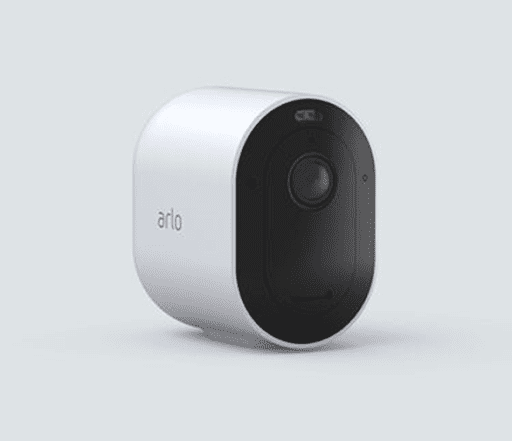
Arlo Pro 4 Spotlight
Best outdoor camera for Google Home
Available from Arlo. From $199.99.
Pros
- Weatherproof for wire-free outdoor use
- Person, vehicle, package, and animal smart motion detection
- Spotlight improves visibility at night
Cons
- Expensive
- No free storage
The Arlo Pro 4 is a rechargeable outdoor camera that supports up to 2K video with HDR. Google Assistant support allows users to take advantage of voice control, automated push notifications and other advanced features with ease.
Night vision footage looks great, but the integrated spotlight above the lens (one of the standout features) is powerful enough to make nighttime viewing outside appear bright and colorful.
Key specifications
- 2K HDR video
- 160-degree field of view
- 12x digital zoom
- Two-way audio
- Wire-free
- Infrared night vision
- Built-in siren
- Built-in spotlight
Arlo Ultra 2 Spotlight
Best wireless camera for Google Home
Available from Best Buy, Arlo, Lenovo. From $249.99.
Pros
- Motion-activated spotlight and built-in siren ward off unwanted guests
- 4K video and 12x digital zoom
- Option for hardwired or rechargeable battery power
Cons
- Expensive
- Requires a monthly subscription to store video and access the useful false alert reduction features, like motion zones
- The highest resolution is only accessible with Arlo Secure Plus, the highest paid monthly subscription Arlo offers
Industry leading 4K video, 12x zoom, and a 180-degree field of view allows users to capture absolutely everything in sharp, crisp detail—even in the dark, thanks to its enhanced color night vision.
Easily welcomed into any budding Google home via the app and other devices, users can control the built-in siren and spotlight wherever they are just by using their voice. All this comes at a very hefty price, however.
Key specifications
- 4K HDR video
- 180-degree field of view
- Two-way audio
- Spotlight
- Weather resistant
- Enhanced night vision
- Built-in siren
- Person detection
Nest Cam with Floodlight
Best wired security camera for Google
Available from Best Buy, Home Depot, and Target. From $279.99.
Pros
- Two adjustable LED floodlights
- Intelligent alerts notify users when something is spotted, distinguishing between people, animals, and vehicles
- Minimal, modernist design
Cons
- Hardwired, so expect additional fees for professional installation
- No built-in siren
- Nest Aware subscription needed if you want features like facial recognition
Another great option for outdoor viewing is the Nest Cam with floodlight, particularly if you have a preference for hardwired devices. The LED lights themselves are the star of the show, effectively illuminating the outdoors.
Adjust the brightness in real time or schedule it via the Google Home app. Like all its functions, automations are easily controlled with the voice.
Check out our top 5 picks for floodlight cameras as well as our thoughts on the regular battery-powered Nest Cam.
Can You Connect Any Camera to Google Home?
Not all cameras connect to Google Home. While many camera brands are compatible with Google Voice Assistant and can be added to the Google Home app, live feed footage is usually not accessible on the app.
Amazon Alexa is compatible with significantly more tech products than Voice Assistant is, probably owing to its age.
Below, discover which camera brands are compatible with Google Home and Google Assistant.
| Google Home | Google Assistant | |
|---|---|---|
| Nest | ✅ | ✅ |
| Wyze | ❓ (no live stream) | ✅ (US only) |
| Eufy | ❓ (no live stream) | ✅ |
| Reolink | ✅ | ✅ |
| Kasa Smart (TP-Link) | ❌ | ✅ |
| Arlo | ✅ (selected models only) | ✅ |
| Ring | ❓ (no live stream) | ✅ |
| Blink | ❌ | ❌ |
| AlfredCamera | ❌ | ❌ |
How to Add a Security Camera to Google Home
As one would expect from a technology built to make life easier, getting a security camera hooked up to Google Home is simple.
Even if the camera model doesn’t support live streaming on Google Home, it can still be added to the app to use voice assistance through Chromecast or a Nest Speaker, so long as it is ‘Google Voice Assistant compatible’. This is specified on the box.
Find out how to add your security camera to Google Home below.
Adding a Camera
-
Download the Google Home app (available on Android and iOS) to the phone or tablet that will be used to view and interact with the camera. This could be a tablet, a Nest speaker, or Chromecast.
-
Set up the security camera, ensuring it is connected to the internet. If using a Nest camera, it will need to be added to the Google Home app to be used as part of setup anyway. Other models will require regular setup to be completed before attempting to pair it to Google Home.
-
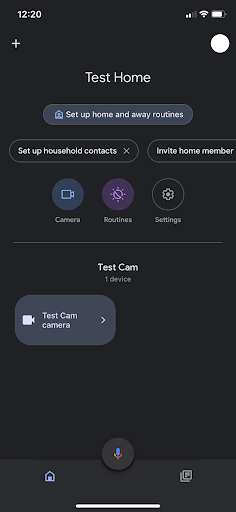
Open the Google Home app.
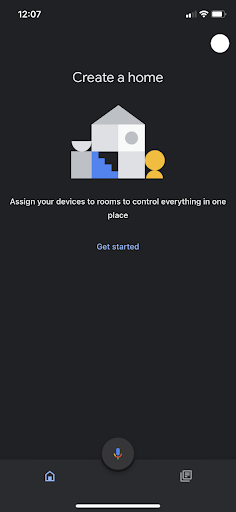
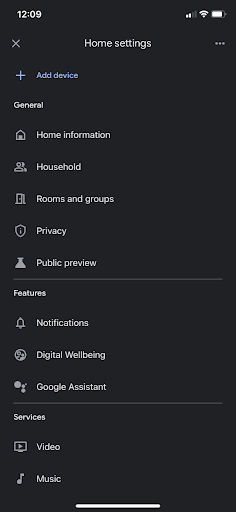
- Tap ‘+’, found at the top left of the screen. Then tap ‘set up device’, then ‘works with Google’.
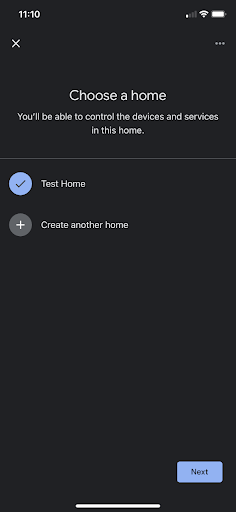
- Select the correct ‘home’.
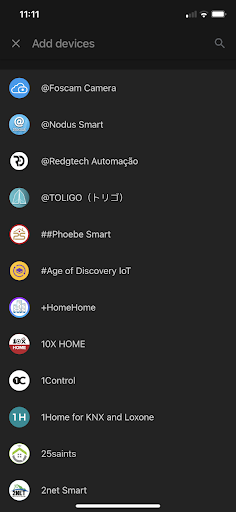
- Locate the camera brand from the list and select it. Use the search bar at the top to avoid scrolling through hundreds of products.
-
If setting up multiple cameras from the same manufacturer, ask Google to ‘sync my cameras’, and it will automatically add them to the device.
-
Use voice commands to check paired cameras, create automated schedules, and more.
Adding a Google Voice Assistant Device (e.g. Chromecast, Google Nest Speaker)
-
Open Google Home
-
Tap ‘+’ at the top of the screen. Then tap ‘set up device’, then ‘New devices’.
- Choose the correct ‘home’.
- Wait for the device to be found and follow the onscreen instructions.
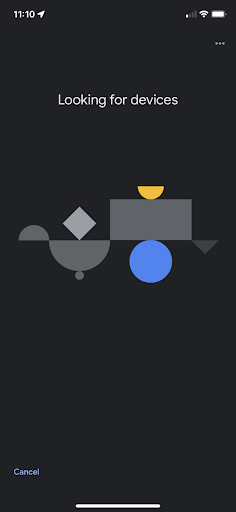
- Once the Google Voice Assistant device has been added to the same ‘home’ as the security cameras, they receive commands through it.
FAQ
Does Eufy camera work with Google Home?
Eufy cameras support Google Voice Assistant and therefore can be added to Google Home, but camera feeds cannot be viewed on the app.
Does Reolink NVR work with Google Home?
No, Reolink cameras paired with an NVR system do not work with Google Home.
Does Ring camera work with Google Home?
Ring cameras can be paired with Google Home to enable Voice Assistant, but live footage from Ring devices cannot be viewed on the app.
What cameras work well with Google Home?
Nest cameras work best with Google Home because they are manufactured by Google. Nest cameras must be paired with Google Home as part of setup, and users can access the camera’s live feed via the app. Many other brands don’t allow live stream viewing from Google Home even when they support Voice Assistance.
Which security camera is owned by Google?
Nest devices are owned by Google. Read our review of Google Nest Cam (battery).
Do Google homes have security cameras?
What was originally called ‘Google Home’ is now generally thought to refer to the ‘Nest’ line of devices, of which several are security cameras. Google Home is now the name of an app.
Does Google own Ring or Nest?
Google owns Nest. Ring is owned by Amazon, which acquired the company for $1 billion in 2018.
Conclusion
Google Home supported security cameras give users a handle on all their security concerns and greater convenience, much like when choosing a movie to watch or conditioning the air.
Deciding which of the tech giants’ voice assistants to go with might be the most inconvenient thing about it, but we’d recommend choosing based on whatever is already in the home anyway.