

Sifting through hours of footage to find the suspect who stole a parcel from the doorstep isn’t practical or enjoyable. Hence, one of the most important features of modern security cameras is motion detection.
Cameras with motion sensors capture footage only when sufficient movement occurs, while AI-based features like person detection can eliminate unnecessary footage altogether.
Discover our top 5 motion activated security cameras below, and find out more about how they work and how they can be used.
Table of Contents
What Can Motion Sensor Cameras Do?
Motion activated cameras detect movement through a motion sensor, starting to record only when sufficient movement is detected. This makes them perfect for use in a security context, since they are able to notify users of unusual movement and record short clips rather than record continuously.
PIR, or ‘passive infrared’, is used by most motion activated security cameras. It detects infrared energy given off by objects, be it human or animal. If there’s a rapid shift in infrared energy detected as the object crosses the field of view, the smart camera will start recording.
Credit: Security Camera King.
Top 5 Best Wireless Motion Sensor Cameras
If you’re in the market for wireless security cameras, it’s clearly worth finding one with motion detection.
Here are our picks for some of the best motion detector cameras on the market.
- Best motion sensor camera indoor – AlfredCam
- Best motion sensor camera outdoor – Arlo Pro 4 Spotlight
- Best motion sensor doorbell camera – Google Nest Doorbell
- Best motion activated camera for smart home – Google Nest Cam
- Best motion sensor camera for car – Garmin Dash Cam Mini 2
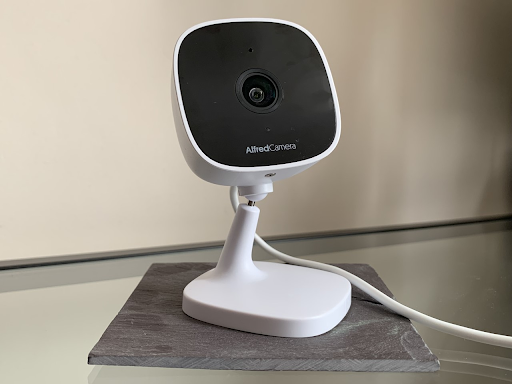
AlfredCam
Best motion sensor camera indoor
Available to order via AlfredCamera. $29.99.
Pros
- Excellent infrared night vision
- Super affordable
- Motion detection zones, schedules, and person detection (with Premium)
Cons
- Indoor only
AlfredCam is a Wi-Fi enabled motion sensor camera that alerts your phone when it detects movement. It marries quality and affordability, combining the great features found in the AlfredCamera app with new ones made possible only through hardware. Its easy plug-in-and-go setup makes it perfect for indoor surveillance.
Premium users can enjoy person detection, which uses AI to only alert users when humans are detected. Users can then use two-way talk via the app to chat with whoever is on the other side. Other features, like night vision, capture every detail in 1080p HD even in environments with virtually no light.
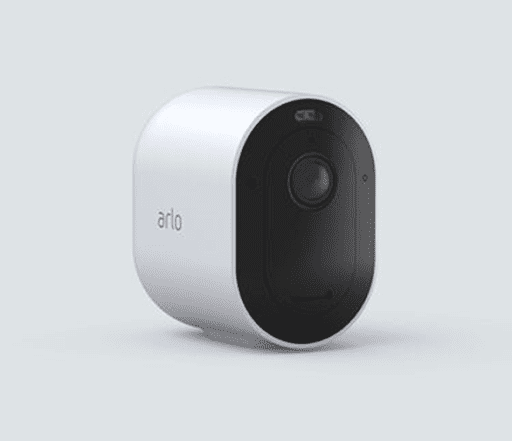
Arlo Pro 4 Spotlight
Best motion sensor camera outdoor
Available from Arlo. From $199.99.
Pros
- Person, vehicle, package, and animal smart motion detection
- Spotlight maximizes visibility at night
- Emergency responses at the touch of a button
Cons
- Expensive
Arlo produces a series of popular home security devices. The Arlo Pro 4 is a wireless rechargeable camera that supports up to 2K video with HDR. Connect to Wi-Fi for easy setup, and then sync with Apple HomeKit, Alexa, or Google Assistant to take advantage of automated push notifications and other advanced features.
Its weather resistance makes it suitable for indoor and outdoor usage alike, but outdoors is where it truly shines thanks to the discreet spotlight and simulated night vision.
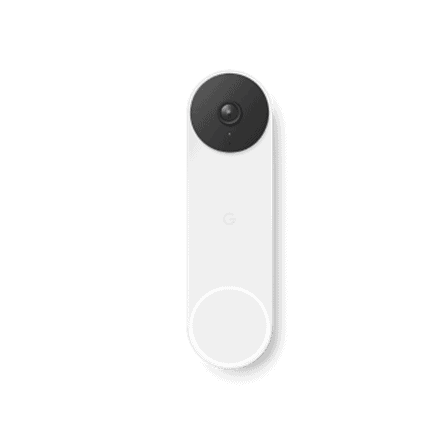
Google Nest Doorbell
Best motion sensor doorbell camera
Available on Google Store. From $179.99.
Pros
- 3:4 aspect ratio maximizes doorway visibility greatly
- Distinguishes between people, packages, animals, and vehicles
- Sleek and contemporary design
Cons
- Expensive
- Facial recognition may seem invasive to some people
The Nest Doorbell is Google’s answer to video doorbells. The battery-operated version is wireless and attaches to either your door or the wall adjacent to it.
Much like the Nest Cam, by incorporating built-in intelligence, its motion sensing capabilities are quite advanced. It can tell the difference between people, packages, animals, and vehicles in real time, and send push notifications based on the information it gathers. ‘Nest Aware’ uses facial recognition to even notify you when a familiar face is at the door.
Two-way communication lets you communicate with whoever’s at the door, while the 3:4 ratio, displayed vertically, maximizes what you can see, from sky to ground.
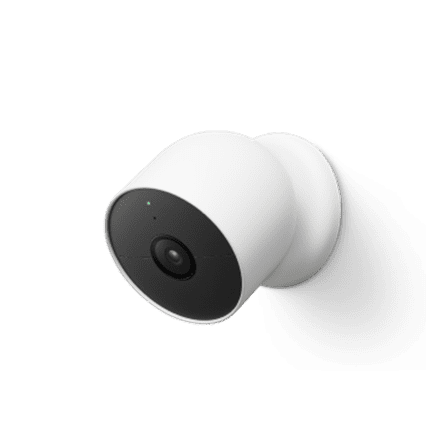
Google Nest Cam
Best motion activated camera for smart home
Available on Google Store. From $199.
Pros
- AI-based person, animal, and object detection
- Extremely fast notifications from AI functions
- Attractive device
Cons
- Expensive
- Nest Aware Plus required for 24/7 continuous video
Google’s flagship Nest product, the Nest Cam is a battery-operated wireless motion sensor camera. Chic and discreet, it’s suitable for use indoors and outdoors.
Motion sensing goes a step beyond most competitors by incorporating facial recognition and other intelligence-based technologies, with the intention being to streamline and automate home security.
Unfortunately, 24/7 continuous video history requires a ‘Nest Aware Plus’ subscription (and since it’s a security camera, it’s probably wise to record footage), but 24/7 live view is available out of the box.
Garmin Dash Cam Mini 2
Best motion sensor camera for car
Available on Amazon. RRP $129.99.
Pros
- Very discreet
- High quality footage
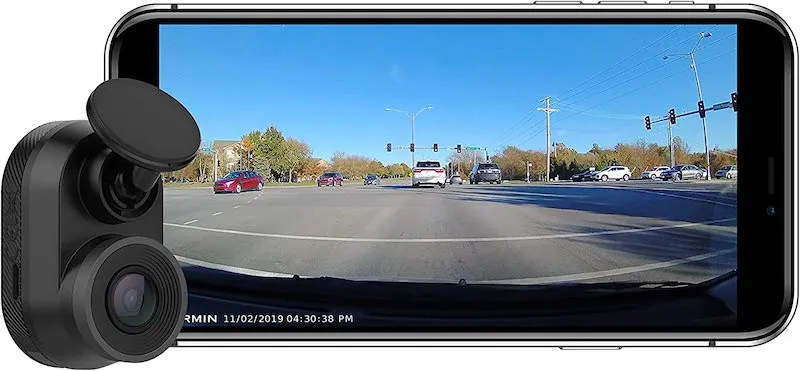
- Parking Mode uses motion detection to look after stationary vehicles
Cons
- Doesn’t automatically send footage to phone
- No GPS
Motion detection cameras for cars function in the same way as security cameras, but the use for the motion detection is more specific.
Garmin’s Mini Dash Cam, one of our favorite dash cams, features a super useful ‘Parking Mode’. This is enabled when the vehicle is stationary, and works via both visual motion detection and the motion sensor inside the cam.
When it detects movement near to the vehicle, it starts recording. If an incident occurs, it will automatically store the footage both before, during, and after the event. This means that vehicles are adequately observed even when stationary/unoccupied, and users can be notified if anything occurs.
Credit: Techs You Can’t Live Without.
Can You Turn Your Phone Into a Motion Sensor Camera?
AlfredCamera makes it possible to turn phones into motion sensor cameras.
Launched in 2014, Founder and CEO Alex Song developed the app to address a major shortfall in the market—ultra-affordable security cameras that boast the features of some of the most expensive available, including motion detection.
AlfredCamera can be used on old phones, tablets, computers, or alongside AlfredCam, a dedicated indoor security camera with infrared night vision. When a viewing device detects motion, the user’s phone will be instantly notified.
Premium users also have access to person detection, which uses AI to trigger motion recording only when a human is detected, thereby reducing unwanted notifications.
Advanced Motion Detection Features
Some motion detection cameras, including AlfredCamera, do more than just start and stop recording based on movement. Advanced features can make it a lot more useful to users in the long-run.
Here are the advanced features to look out for.
Person detection – the most important motion detection feature is person detection. Using software based AI, the security camera is able to recognize motion caused by humans and ignore motion caused by nature, animals, or other objects. This can make it much more useful for everyday security, significantly reducing unwanted notifications caused by strong wind or animals.

Facial recognition – less common than regular person detection is the incorporation of AI that learns, memorizes, and distinguishes faces. Some might find this a little dystopian, but it is a great way to be instantly notified of who is standing at the front door.
Nest’s ‘Familiar Face’ setting (available only with an Aware subscription) learns and eventually distinguishes faces that the user knows from ones they don’t.
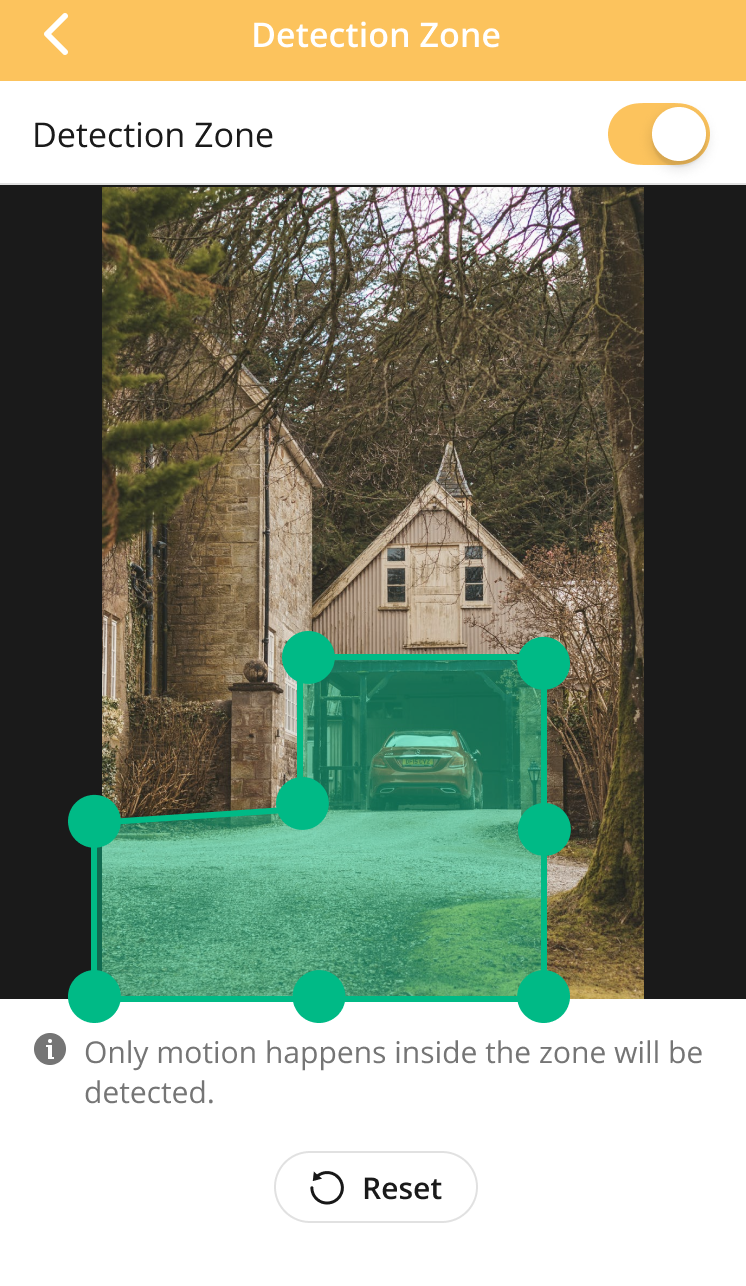
Motion detection zones – cameras facing the driveway might also pick up some of the street beyond the property. In such cases, establishing a motion detection zone is useful in eliminating unwanted notifications caused by people walking down the street. Some devices, including AlfredCamera, allow users to establish the specific areas of the frame that they want motion detection to apply to, thereby reducing pointless triggers.
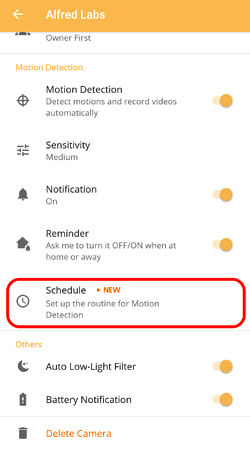
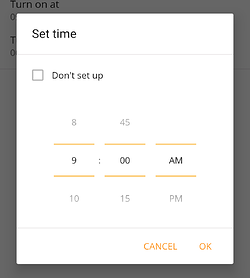
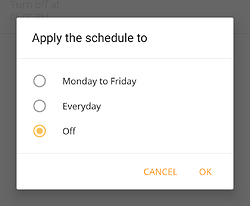
Motion detection schedules – motion sensing cameras can be made even more useful through scheduling. Schedules automatically arm and disarm motion detection on specified days and times. If leaving for work in the morning, motion detection can be enabled for cameras viewing the doorway while the house is absent, for example. Likewise, some periods of the day may see extensive traffic, in which case continuous recording is preferable to avoid excessive notifications.
FAQ
Do motion sensor cameras record all the time?
No, cameras with motion detection do not record all the time. They will only start recording when sufficient motion is detected. This motion also needs to occur within the assigned motion detection zone if one has been created, which AlfredCamera makes possible. Likewise, schedules and person detection will also affect how often it triggers.
Do motion cameras need WiFi?
Usually, motion detection cameras require a Wi-Fi connection to send push notifications to phones, meaning the true benefits of motion detection are derived from a camera connected to a stable internet connection. This doesn’t have to be the case, though. They can simply save footage to storage without sending a notification.
What is a PIR sensor?
A PIR sensor (passive infrared sensor) detects infrared energy given off in the scene it observes. Everything that emits heat also emits infrared energy, but infrared is invisible to the human eye. The PIR observes the shifting wavelengths. This information can then be processed to reveal information about movement, depth, size, and heat.
How far can security cameras detect motion?
Generally, security cameras detect motion somewhere in the vicinity of 15 to 25 feet. AlfredCam is able to detect motion up to 32 feet in daylight, and up to 22 feet in night vision mode.
What do motion sensors see?
In the context of cameras, motion sensors see infrared. A PIR (passive infrared sensor) is the type of sensor that detects general movement, but an imaging sensor is needed as well in order to gauge information about who, or what, moved, and these sensors are in all cameras. This compares sequential images from the footage, frame by frame, to determine information based on changes to the pixels.
Why is motion detection not working?
Issues with motion detection could be down to a number of different things, including incorrect settings/setup, lights or other obstructions confusing the sensor, or even a damaged circuit board. For more on troubleshooting motion detection, check out our dedicated guide and FAQ on motion detection issues. For a more general guide, learn how to tell if a security camera is on and recording.
Can a mouse trigger a motion sensor?
A mouse is unlikely to trigger a security camera motion sensor, but in theory, it could. The factory settings of most commercial security cameras with motion sensors would purposely have the sensor ignore something so small. It would trigger it if it came very close to the lens.
Conclusion
Improving safety and security isn’t just a matter of installing any old camera. The tech we choose must be truly useful to us, and that requires convenience. With that in mind, motion detection is a vital feature many users will need to get the most out of a security setup.
Motion detection means efficient surveillance, streamlining and significantly improving the security of a space.
Recommended reading: