
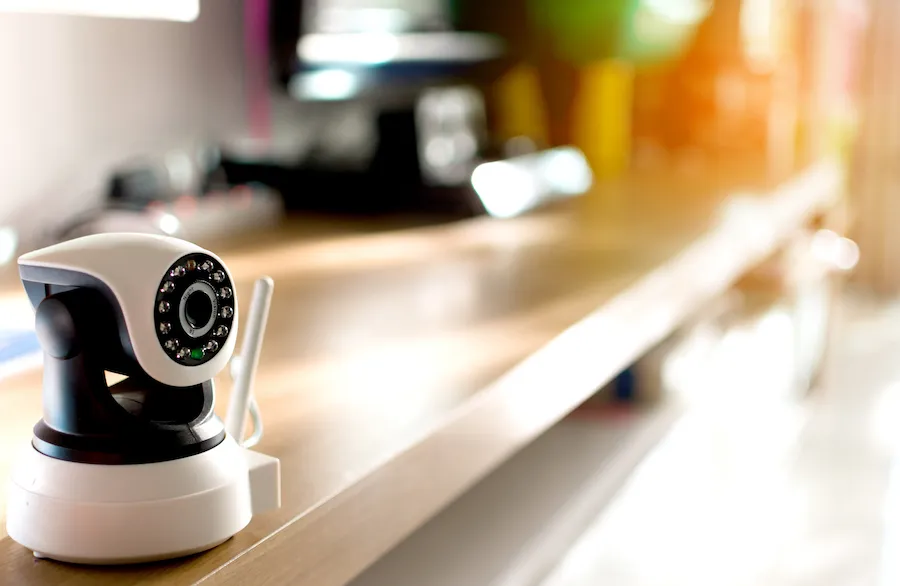
Continuous recording is a security camera’s ability to record footage nonstop. While some security cameras record continuously to local storage, it’s a feature that’s missing from most security camera apps.
That’s not the case with AlfredCamera, which turns old cell phones into security cameras with 24/7 recording. AlfredCamera even continuously records when the internet drops out.
Read on to learn more about this feature, and find out which cameras support it.
Table of Contents
How to Turn an Old Cell Phone into a Security Camera with 24/7 Recording
With over 70 million downloads, AlfredCamera has proved itself as the most versatile and trusted security app available for smart devices. By turning your old phone into a feature-rich video monitor, you effectively have a free security camera in your pocket.
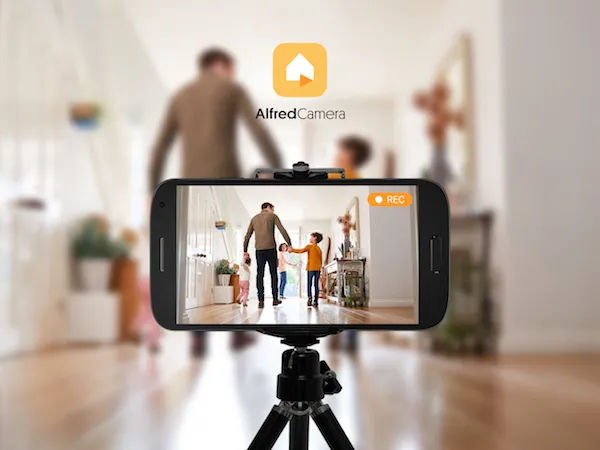
‘We noticed that some users shared concerns about signal dropouts,’ says the product team. ‘Rather than ignoring the problem, we got to work combating it. AlfredCamera continuous recording solves the issue.’
Unlike most apps and IP security cameras, AlfredCamera records continuously and stores footage even in the event of a signal dropout, whether that’s simply the cause of bad wi-fi or due to a momentary power outage.
‘AlfredCamera cloud storage allows free users to store clips for up to 7 days via the internet, while a Premium subscription provides 14 days. Continuous recording records for 8 hours and loops back on itself, deleting the oldest footage first.’
For more on AlfredCamera recording, check out our dedicated guide and FAQ. Find out how to enable this feature and check recorded clips in the app below.
In the camera’s settings, scroll down and turn on ‘Continuous Recording’.
To view footage, tap the ‘Playback’ icon in the bottom left corner on the camera menu.
From here, users can tap and drag a timeline to view footage recorded at a specific time (the red bars indicate when motion was captured, making finding relevant footage much easier).
Top 5 Security Cameras with 24/7 Recording.
- Best camera overall – AlfredCam
- Best outdoor security camera – AlfredCam Plus
- Best security camera without subscription – AlfredCamera (app)
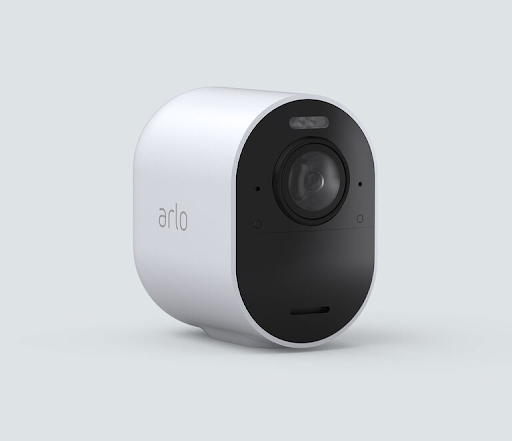
- Best wireless security camera – Arlo Ultra 2
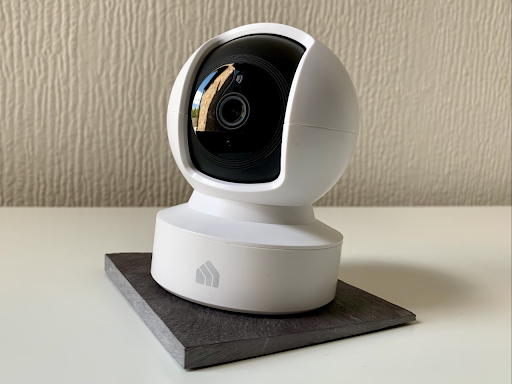
- Best panning security camera – TP-Link Kasa Spot Pan Tilt
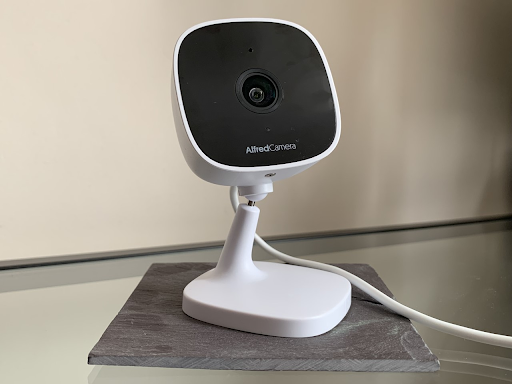
AlfredCam
Best camera overall
Available from AlfredCamera and Amazon. From $29.99.
Pros
- 8 hours free continuous recording even when internet cuts out
- Footage wipes itself once CR limit exceeded
- Super affordable
Cons
- Quality depends on the chosen camera device
- Low light filter isn’t as robust as true night vision
With up to 8 hours of free recordings even without an internet connection, AlfredCamera offers users significant flexibility not found in other security camera apps, let alone most hardware cameras available.
Aside from that, enjoy two-way audio, low-light filters, and push notifications. Add an AlfredCam hardware camera to the mix for indoor monitoring with excellent night vision.
Key Specifications
- 1080p HD video
- 130-degree field of view
- Two-way audio
- MicroSD card support
- Powered by USB
- Infrared night vision
- Built-in siren
- 7 days cloud storage
- Unlimited devices per account
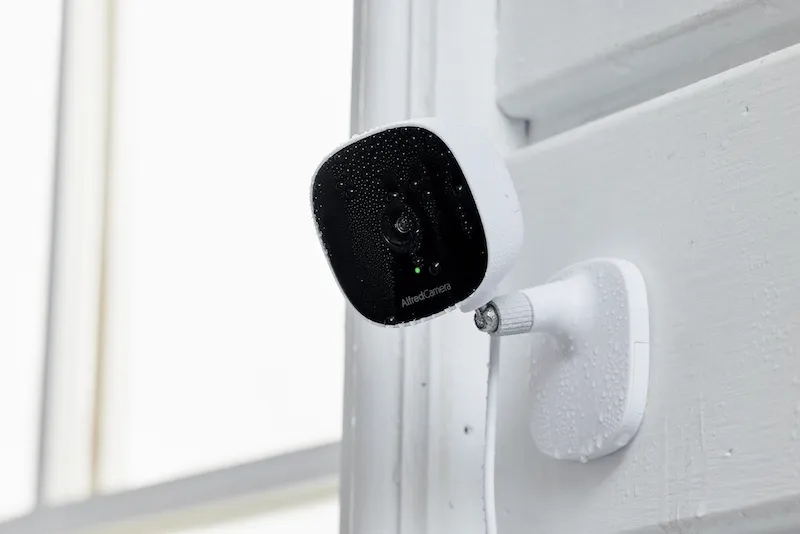
AlfredCam Plus
Best outdoor security camera
Available on AlfredCamera and Amazon. From $39.99.
Pros
- Super affordable
- 64 GB microSD included
- IP65 weatherproof
Cons
- Person, pet, vehicle detection require subscription
- No voice assistant support
AlfredCam Plus introduces outdoor security and higher video resolution to your AlfredCamera home security system, as well as advanced AI features for Premium users.
A 64 GB microSD card is included with AlfredCam Plus, meaning continuous recording right out of the box. Cloud storage, motion detection, infrared night vision; you name it. Everything you need for robust round-the-clock surveillance is here.
Key Specifications
- 2K QHD video
- 130-degree field of view
- Two-way audio
- 64 GB microSD card included
- Infrared night vision
- Built-in siren
- IP65 weatherproof
- Unlimited devices per account
AlfredCamera (app)
Best security camera without subscription
Available on Google Play and the App Store. Free.

Pros
- Free, no hardware purchase required
- 24/7 recording and motion detection
- Motion identified easily in continuously recorded footage
Cons
- Requires a spare smart device
- Functionality will depend on the phone itself
Looking for a free security camera that records continuously? AlfredCamera turns old phones into feature-rich security cameras with this feature. You’ll also get motion detection, a built in siren, and two way audio for free on as many devices as you like.
This feature captures eight hours of footage in a loop, deleting the oldest footage first. Easily scrub the footage where AlfredCamera highlights moments of motion so that you see what matters most.
Key Specifications
- Live feeds
- Motion detection
- Push notifications
- Low-light mode
- Two-way audio
- 7-day free cloud storage
Arlo Ultra 2
Best wireless security camera
Available from Best Buy, Arlo, Lenovo. From $289.99 without a hub (required).
Pros
- Crisp 4K footage
- Built-in spotlight
- 24/7 recording
Cons
- Extremely expensive
- Continuous recording requires a subscription
- Requires a Smart Hub
Many Arlo cameras are compatible with 24/7 recording. Of all of them, the Ultra 2 is a real juggernaut of a device. 4K resolution, 180-degree field of view, and built-in spotlight are here.
To record continuously, users must purchase a ‘CVR Subscription’ from Arlo. This gives users access to either 14 or 30 days of the feature. It works a charm, but there’s no denying that $19.99 for 30 days of CVR is a painfully tall order for a device that already doesn’t come cheap.
Key Specifications
- 4K HDR
- Integrated Spotlight
- Rechargeable Battery
- 180 degree field of view
- Two-way audio
- Dual band Wi-Fi
- SmartHub required
TP-Link Kasa Spot Pan Tilt
Best panning security camera
Available on Amazon. From $29.99.
Pros
- Motorized 360 panning with AI-based tracking
- Up to 128 GB via microSD
- Affordable
Cons
- MicroSD card not included
- Works best when mounted on a ceiling
Kasa Spot Pan Tilt is a motorized panning camera that supports record continuously. This is done by inserting a microSD.
Kasa Spot Pan Tilt makes great use of its panning feature, with intelligent person tracking and a plethora of great automation features in the app, which we named one of our favorite security apps.
Key Specifications
- 1080p Full HD
- 360 horizontal panning
- Vertical tilting
- 3.2 in x 3.2 in x 4.4 in
- Two-way audio
- Motion detection and motion tracking
- microSD (not included)
How Long Do Home Security Cameras Record?
The amount of time that security cameras record for depends on the model. Many don’t offer 24/7 recording and only record in short clips (usually 30 seconds) triggered by motion detection.
Recommended reading: How Long Do Security Cameras Store Footage?
Most brands offer premium subscriptions that increase storage space on the cloud. Check out the most popular security camera brands and how long their security cameras record below.
| Brand | Maximum Length of Continuous Recording (CR) (local) | Maximum Length of CR (cloud-based) | Maximum Length of CR(subscription) |
|---|---|---|---|
| AlfredCamera App | 8 hour loop (240p for free users) | No CR | 8 hour loop (720p for Premium users, local storage) |
| AlfredCam | Unlimited (microSD) | No CR | Unlimited playback of locally stored footage for Premium users via the app |
| Google Nest | No 24/7 recording. Up to 30 seconds per clip. 8 minutes of local storage. | No CR | Unlimited footage when 24/7 Video History is enabled (Nest Aware Plus) |
| Wyze | 2-8 days depending on quality and storage size (microSD card) | No CR | Unlimited footage for up to 14 days (Cam Plus) |
| Reolink | Unlimited (NVR or PC) 2-8 days depending on quality (microSD card) | No CR | 7 days and 1GB storage (Basic) 30 days and 30GB storage (Standard) 30 days and 80GB storage (Premier) |
| Ring | No CR | No CR | No CR. Up to 120 seconds, 180 day storage (Basic and Plus) |
| Blink | No CR | No CR | No CR |
Continuous Recording vs. Motion Detection
Most IP cameras incorporate some form of motion detection. It’s useful for avoiding large files.
If the motion detection doesn’t incorporate other features, like person detection or animal detection, the camera might record unnecessary movement.
We weighed up some of the major differences between these two features.
| Motion Detection (MD) Features | CR Features |
|---|---|
| Instant Notifications Get notified only when movement is detected. | High Traffic Visibility MD is useless in places where there is constant movement. There’s no point being notified every few minutes as someone passes by. CR avoids this nuisance. |
| Capture What Matters Sifting through hours of footage can be mind-numbing. With MD, cameras can be assigned to record only when something appears. | See Everything Avoid signal drop out by simply capturing everything, at all times. |
| Cloud Storage Less footage means less demand on broadband, meaning cloud storage can be used easily from anywhere in the world. | Local Storage Local storage (SD cards) allows users to save potentially huge files with no fuss, freeing up bandwidth. |
For more on motion detection, including our picks for favorite motion detecting cameras, check out our crash course on motion sensor cameras.
When Do I Need 24/7 Recording?
Some people prefer to record continuously, while others find motion detection more useful. Aside from personal preference, there are some circumstances where you might prefer this type of recording. Check them out below.
1. Storefront
Stores require continuous recording when they are open and closed. In stores, foot traffic is too high for motion detection to be useful, therefore not providing reliable surveillance.
2. Offices
Much like a store, an office is likely to have significant movement all day, making motion detection pointless. Whereas cameras that record continuously can keep offices safe throughout the day.
3. Warehouse
Warehouses are subject to much stricter health and safety regulations than other workplaces. Because they are dangerous, surveillance should be 24/7 to keep an eye on the health and safety of the people working there.
4. Locations Prone to Signal Dropout
For larger houses, farms, and construction sites with weak Wi-Fi, 24/7 recording is a good way to overcome signal dropouts without losing footage. AlfredCamera’s continuous recording feature still records even when the internet connection drops out.
FAQ
Do security cameras record all the time?
Most modern security cameras do not record all the time. Using motion detection is a more efficient way to avoid overly large file sizes and only record relevant footage.
Do I need a camera that records all the time?
Whether or not you need a camera that records constantly is best determined on a case-by-case basis. For example, a storefront needs this type of recording because it’s a high traffic area, whereas your porch is better observed with motion detection because it’s a low traffic area.
Can wireless cameras record continuously?
Yes, some wireless cameras can record continuously, including AlfredCam and AlfredCam Plus.
Which camera has unlimited recording?
AlfredCam and AlfredCam Plus support unlimited recording via microSD. AlfredCamera compatible devices, including old phones and tablets, also support it, which rewrites itself over an 8 hour loop.
Conclusion
This is an important feature to look out for when investing in your security, especially if it’s for a workplace. While continuous recording is not necessary for every situation, it’s essential that your wireless security camera continues to record even if it loses connection to the internet.
Recommended reading: Types of Security Cameras: The Essential Guide